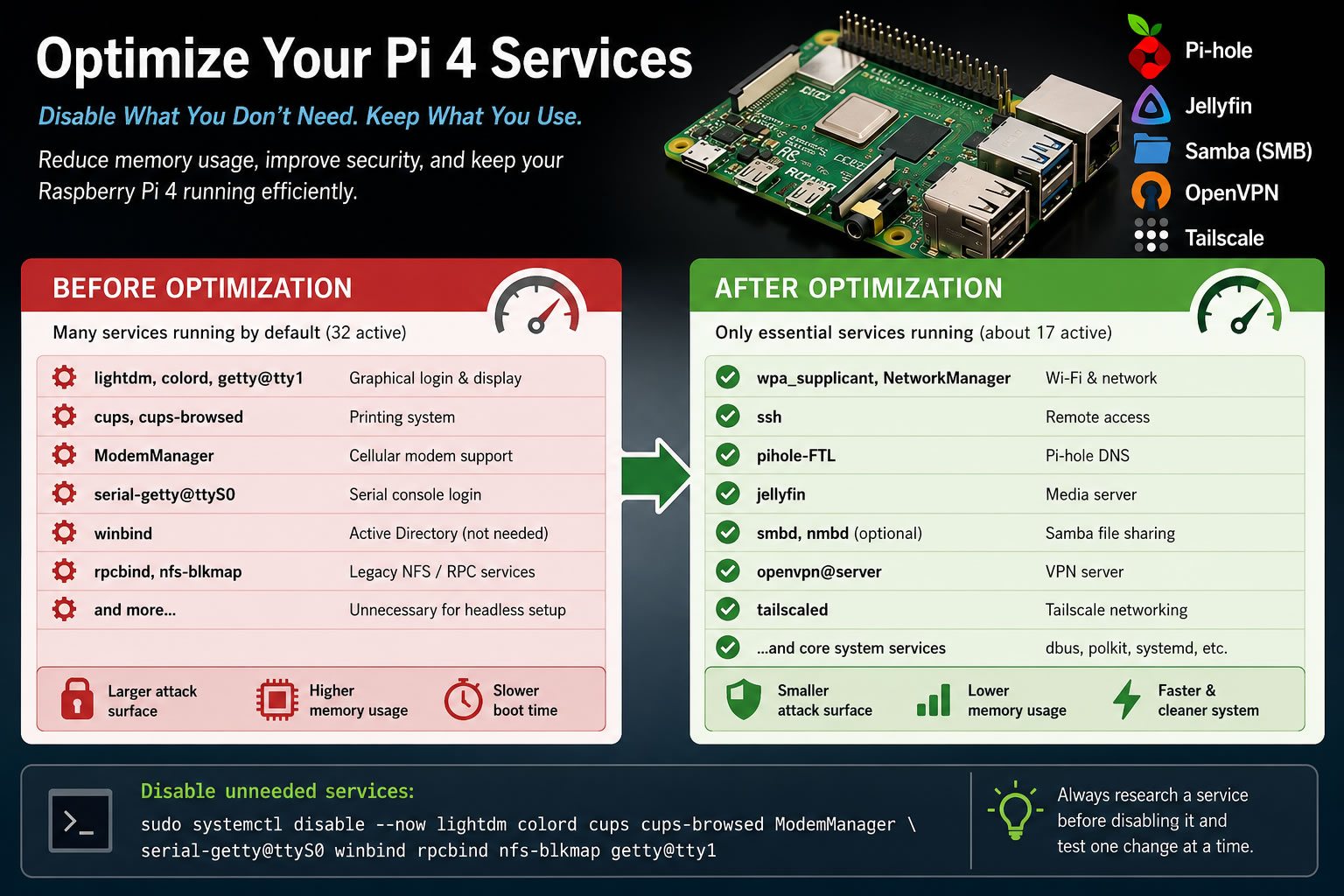
One of the easiest ways to improve the efficiency and security of a Raspberry Pi is by reducing the number of services that start automatically. Every background service consumes memory, may wake the CPU periodically, and potentially increases the attack surface of the system.
This guide focuses specifically on a headless Raspberry Pi 4 running Debian Linux that is administered over SSH and connected via Wi-Fi. The examples assume the Pi is used primarily for:
- Pi-hole
- Jellyfin
- Samba (SMB file sharing)
- OpenVPN
- Tailscale
Step 1 - See What Is Running
Start by listing every currently running service:
systemctl list-units --type=service --state=runningThis displays every active systemd service. Before disabling anything, make sure you understand what each service is responsible for. A quick Internet search or the following command can provide additional information:
systemctl status servicenameServices Usually Safe to Disable
If your Pi is truly headless and dedicated to server tasks, the following services are commonly unnecessary.
Graphical Desktop Components
If you never connect a monitor or use a desktop environment, these services provide no benefit.
| Service | Purpose |
|---|---|
| lightdm.service | Graphical login manager. |
| colord.service | Color profile management for monitors and printers. |
| [email protected] | Physical console login prompt. |
Printing Services
If your Pi is not acting as a print server, these services can usually be disabled.
| Service | Purpose |
|---|---|
| cups.service | Common Unix Printing System. |
| cups-browsed.service | Automatically discovers network printers. |
Cellular and Serial Hardware
Most Raspberry Pi installations never use these.
| Service | Purpose |
|---|---|
| ModemManager.service | Manages USB cellular modems. |
| [email protected] | Login prompt on the serial console. |
Enterprise Networking Components
If you simply share files using Samba and are not connected to an Active Directory domain or enterprise NFS environment, these services are generally unnecessary.
| Service | Purpose |
|---|---|
| winbind.service | Active Directory authentication for Samba. |
| rpcbind.service | Legacy RPC service used primarily by NFS. |
| nfs-blkmap.service | Parallel NFS block mapping. |
Disable the Unneeded Services
Rather than uninstalling packages, the safest approach is to disable the services. This preserves the software in case you later decide you need it again. A few services, such as colord, may also be activated through D-Bus even after being disabled. In those cases, masking the service prevents it from being started again.
sudo systemctl disable --now
lightdm
cups
cups-browsed
ModemManager
serial-getty@ttyS0
winbind
rpcbind
nfs-blkmap
getty@tty1
sudo systemctl mask --now colordThe --now option immediately stops the service and also prevents it from starting during future boots.
Why is colord handled differently? Unlike most services, colord can be started automatically through D-Bus even after it has been disabled. Masking the service prevents any future activation while remaining easy to reverse with sudo systemctl unmask colord.
Services You Should Usually Leave Alone
Several services may not appear important, but are critical for a headless Raspberry Pi server.
| Service | Reason |
|---|---|
| wpa_supplicant.service | Required for Wi-Fi connectivity. |
| NetworkManager.service | Manages network interfaces. |
| dbus.service | Core inter-process communication used throughout Linux. |
| polkit.service | Provides authorization for many system operations. |
| systemd-journald.service | System logging. |
| systemd-timesyncd.service | Keeps the system clock synchronized. |
| systemd-udevd.service | Manages hardware devices. |
| ssh.service | Your remote administration method. |
| pihole-FTL.service | Required for Pi-hole. |
| jellyfin.service | Required for Jellyfin. |
| smbd.service | Provides SMB file sharing. |
| [email protected] | Your VPN server. |
| tailscaled.service | Tailscale networking. |
Services Worth Considering
The following services depend on how your network is configured.
- avahi-daemon.service - Provides mDNS (Bonjour) name resolution. If you connect using a hostname such as raspberrypi.local, keep it enabled. If you always connect by IP address or through Tailscale, you may not need it.
- nmbd.service - Supports legacy NetBIOS discovery. Modern versions of Windows and Linux generally do not require it for SMB file sharing. If your network still discovers shares correctly after stopping it, you can disable it.
- accounts-daemon.service - Primarily used by desktop environments. On many headless systems it serves no purpose, although some packages may expect it to exist. If unsure, leave it enabled.
- udisks2.service - Provides automatic disk management. If your server never automatically mounts removable drives, you may be able to disable it safely.
- [email protected] - Created automatically when a user logs in. This is normal and should generally be left alone.
Measure the Results
After making changes, reboot the Pi and compare memory usage before and after.
free -hYou can also view the services that remain running:
systemctl list-units --type=service --state=runningThe actual memory savings may only be a few dozen megabytes on a Raspberry Pi 4, but reducing unnecessary services also decreases boot time, lowers background CPU activity, simplifies troubleshooting, and reduces the number of network-accessible components that could potentially contain vulnerabilities.
Final Thoughts
Modern Raspberry Pi hardware is powerful enough that disabling services is rarely about improving performance. Instead, it's about building a system that does exactly what you need—and nothing more. Before disabling any service, understand its purpose, make one change at a time, and verify that your applications continue to function correctly.